I made 7 faceless TikTok videos with Higgsfield. Here is the workflow, the prompts and the real credit cost.
I run a small woodworking site, Weekend Cut List. It needed short vertical videos for TikTok, but I don't have a camera setup or time to film builds. So every video is an AI voiceover plus a handful of AI images, edited into a 9:16 clip. Here is exactly how, and what it cost in Higgsfield credits.
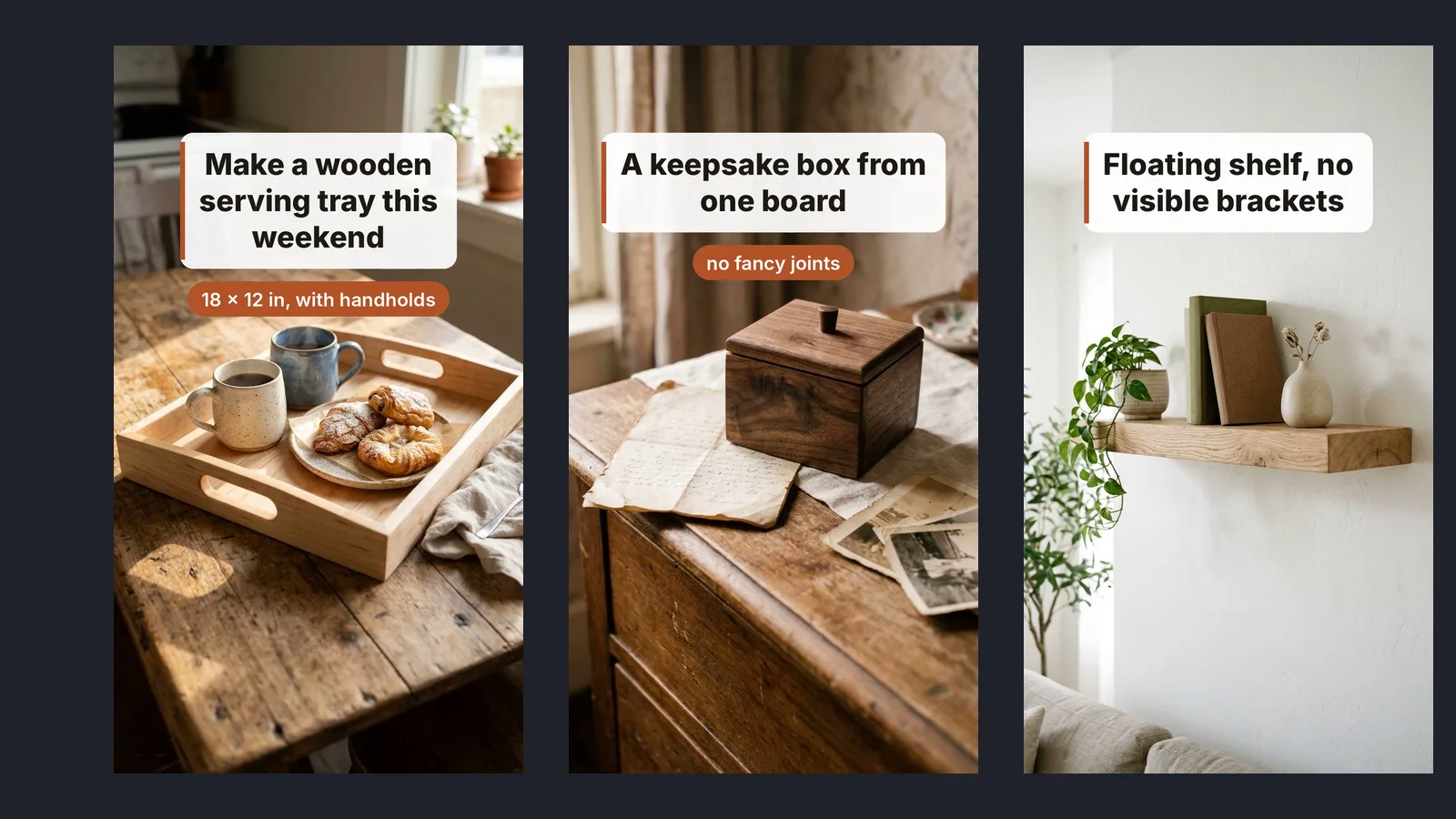
The short version
| Account | Higgsfield, on a credit balance (my account shows the free plan type) |
|---|---|
| Voice | Seed Audio 1.0, preset voice "Grady" |
| Images | Nano Banana 2.1, 9:16 portrait |
| Per video | 1 voiceover (25–45 s) + 7–8 images |
| Credit cost | Voiceover 3.2–3.6 credits · image 1.5 credits each · about 13–16 credits per video |
| Total so far | 7 videos, about 96 credits (including a few re-rolled images) |
| Editing | Free: a small ffmpeg script. CapCut's free editor can do the same job. |
| Output | 1080 × 1920, 30 fps, 25–43 seconds, under 10 MB |
Credit figures are from my own Higgsfield transaction history, October 2026. Prices per credit and plan contents change, so check Higgsfield's pricing page before you plan a budget.
Step by step: how one video gets made
- Write the script as 7–8 beats. One hook line, five or six steps, one closing line that points to the full article. Each beat becomes one scene and one on-screen headline. Short sentences read better in a synthetic voice.
- Generate the voiceover. I paste the whole script into Seed Audio 1.0 with the "Grady" preset. One take, 3.2 to 3.6 credits for 25 to 45 seconds of speech.
- Tighten the audio. The raw voice leaves long pauses between sentences. I shorten anything over about a third of a second and speed it up 8%. That alone took a 40-second read down to about 32 seconds.
- Generate one image per beat. Nano Banana 2.1 in 9:16, one short scene description each, 1.5 credits per image. One at a time: when I sent several requests together I got "too many requests" errors.
- Time the scenes to the voice. I cut to the next image where the voice pauses between sentences, so each picture appears as its step is spoken.
- Add headline cards and motion. A slow zoom on each image and a short headline card ("Cut parts in matched pairs") so the video works with the sound off.
- Export and label. 1080 × 1920, compressed under 10 MB for the browser upload. On TikTok I switch on the "AI-generated content" label and end every caption with "AI voice and images".
A real storyboard
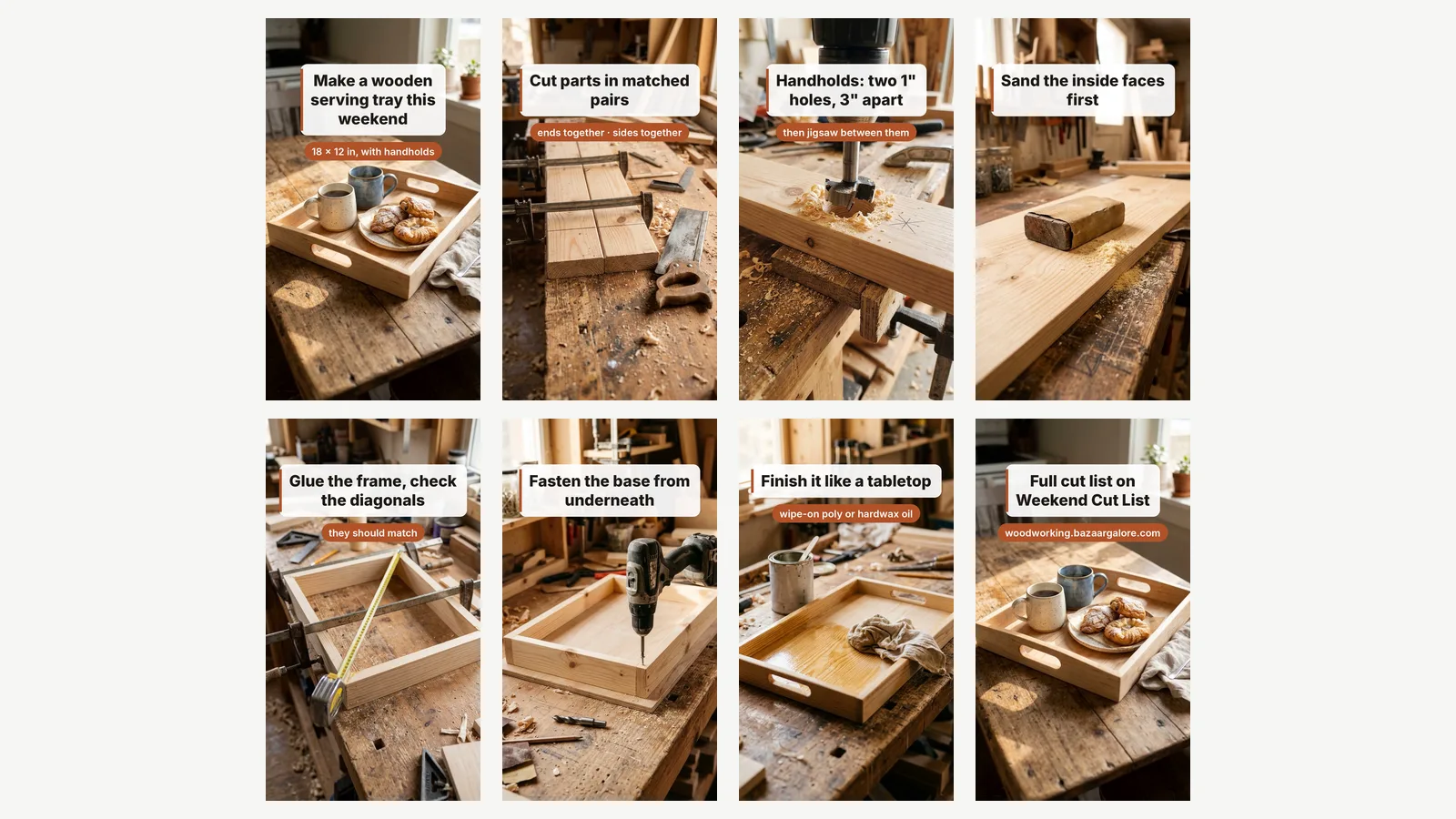
| Scene | Headline | Image description I used |
|---|---|---|
| 1 | Make a wooden serving tray this weekend | a finished pine serving tray with handholds on a kitchen table, coffee and pastries |
| 2 | Cut parts in matched pairs | two identical pine boards clamped together on a wooden workbench, a pencil square line across both, a hand saw resting beside them, sawdust |
| 3 | Handholds: two 1" holes, 3" apart | close-up of a cordless drill with a 1-inch Forstner bit drilling a hole near the top of a pine board clamped to a workbench, a scrap board clamped underneath, a second pencil-marked hole nearby |
| 4 | Sand the inside faces first | a sanding block with sandpaper on the inside face of a pine board, small pile of fine sawdust, workbench |
| 5–7 | Glue, fasten, finish | one scene each, same workshop style |
| 8 | Full cut list on Weekend Cut List | re-used the scene 1 image (no extra credits) |
Short, concrete descriptions worked better than long ones. Naming the material ("pine"), the tool ("1-inch Forstner bit") and the setting ("workbench, sawdust") kept the eight images looking like one workshop.
What worked well
- Wood and workshop scenes look convincing at phone size: grain, sawdust, clamps and hand tools all hold up.
- Cost is predictable. About 13–16 credits per finished video, because the voice and image prices don't change with the prompt.
- The preset voice is steady. Same voice, same pace across all seven videos, which keeps the account consistent.
What didn't, and what to check
- Images don't always match the instruction. Look at scene 6 above: the headline says "Fasten the base from underneath", but the image shows a drill driving a screw from the top. For a how-to video that's a real mistake. Check every image against what the voice is saying, and re-roll (another 1.5 credits) when it matters.
- Rate limits. Image jobs have to run one at a time. A 7-image video takes several minutes of waiting, not seconds.
- The raw voice is slow. Plan on trimming pauses and speeding it up slightly, or it sounds sleepy on TikTok.
- It shows an idea, not your build. These are illustrations of the steps, not footage of a real project. Say so in the caption and use the platform's AI label.
Label AI content. TikTok asks creators to label realistic AI-generated content, and Canadian and US advertising rules expect you not to pass off AI images as real results. I turn on TikTok's AI-generated label and write "AI voice and images" in every caption.
Results so far
Honestly, too early to say. The first video went up on 21 October 2026 and the rest are scheduled about three a week. I'll add views and watch time here once there's a month of data, including the videos that flop.
Would I do it again?
Yes, for faceless how-to and tips content where the voice carries the information and the images illustrate it. No, for anything that needs to prove a result: a product demo, a before-and-after or a review. For those, film the real thing.
Try Higgsfield
Start with one 25-second script: one voiceover and seven images.
Open Higgsfield ↗Affiliate link: I may earn a commission if you later buy credits or upgrade, at no extra cost to you. Models, credit prices and plans change, so check what's included on their site.
FAQ
How many credits does one TikTok video take?
In my account, about 13–16 credits: 3.2–3.6 for the voiceover and 1.5 per image for 7–8 images. Re-rolling a bad image adds 1.5 each time.
Do I need to edit the video somewhere else?
Yes. Higgsfield made the voice and the images; I joined them, timed the scenes and added the headline cards with a free script. CapCut's free editor can do the same with drag and drop.
Can I monetise AI videos on TikTok?
That depends on TikTok's current rules and programs in your country, which change. Label AI content and read TikTok's own guidelines before relying on it.
Why not use AI video instead of still images?
Still images with a slow zoom cost far less per scene and were enough for step-by-step tips. I may test short AI video clips for the hook later and will update this guide if I do.